DTP (Dark Trading Post) is the website that allows you customize your ingame Dark Gaming appearance.
An update to DTP released on 10-27-2026.
DTP Update
DTP is currently being updated. This post is likely to change and may be out of date.
________________________________________________________________
LOGGING IN
In order to initially log into your DTP inventory, you must enter your in-game username and password. It will then auto-login for you as long as you logged in once before. If you encounter account issues such as forgetting your password or username restrictions, please read through the Account Management Guide . After identifying your problem, contact a staff member on the Forums or the Discord server.
INVENTORY
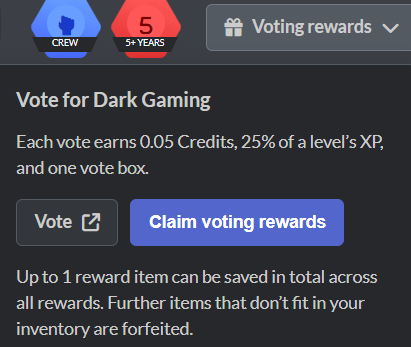
All Titles, Tags, Colors, Dyes, CMDs, and Boosters (listed as Special) are obtained through loot boxes that are gained by leveling up and by voting at https://terraria-servers.com/server/90/vote/. Make sure you claim your rewards when voting, as it grants you a loot box and XP!
Linked below is a continuously expanding list of every DTP item.
Crew
Crew can be obtained in the Unlocks tab. Crew and its perks are obtained after one pays 2.00 Credits (40 days of voting) or 50k DP or by owning Terraria on Steam (not the mobile, GOG, and pirate versions.) Crew grants you the following abilities in their respective dimensions:
- Build - Build outside of Sandbox
- PvP -
/tp(people have had Crew removed for abusing/tpin the past) - Survival - Summon bosses
- PvE -
/tp(teleport to Lego-Bot) - Zombies - Unlocks Telekinesis ability
________________________________________________________________
DP
DP stands for DarkPoints and is the primary currency of the Dark Gaming economy. DP allows you to increase the size of your inventory and purchase items from the DTP shop.
How to gain DP
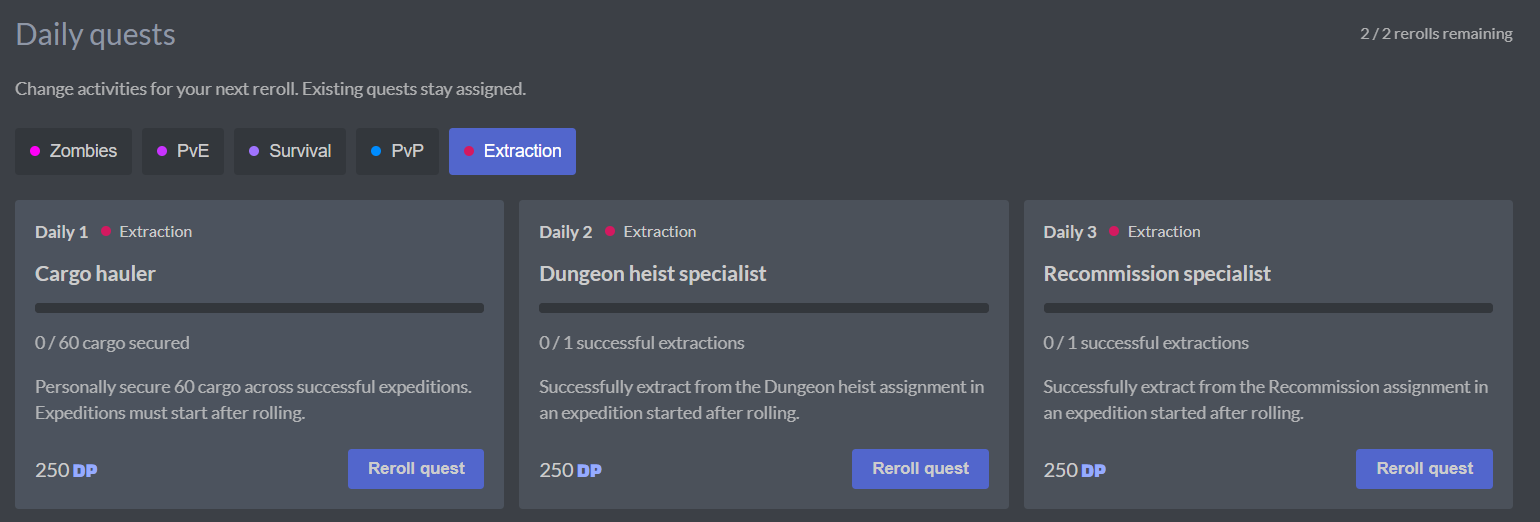
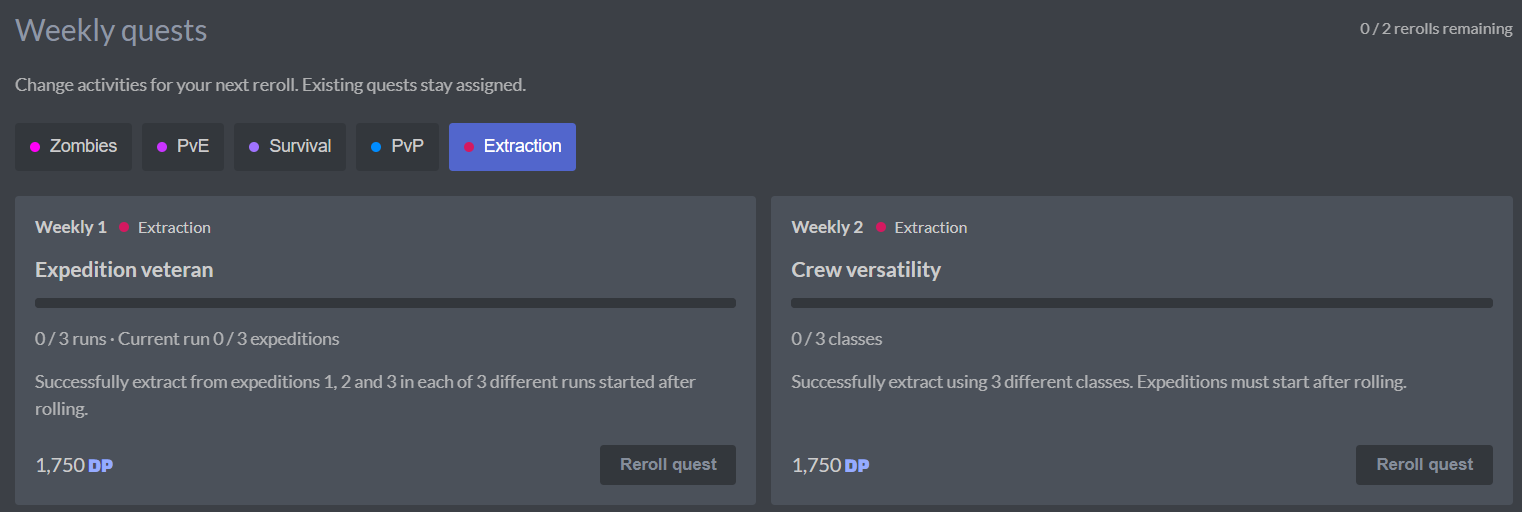
DP is gained through quests on DTP now. Quests include both daily and weekly types, and are available for Zombies, PvE, Survival, PvP, and the gamemode in beta, Extraction.
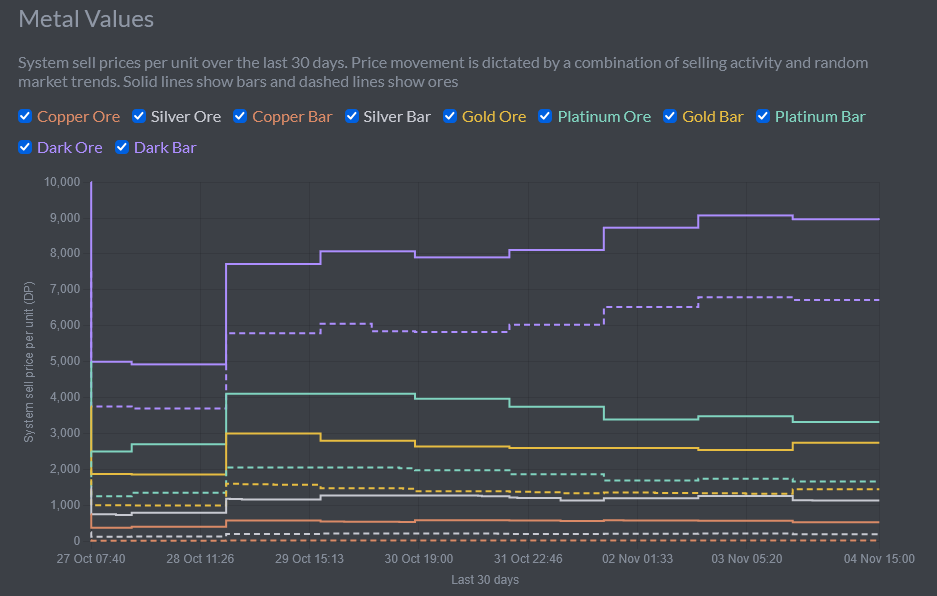
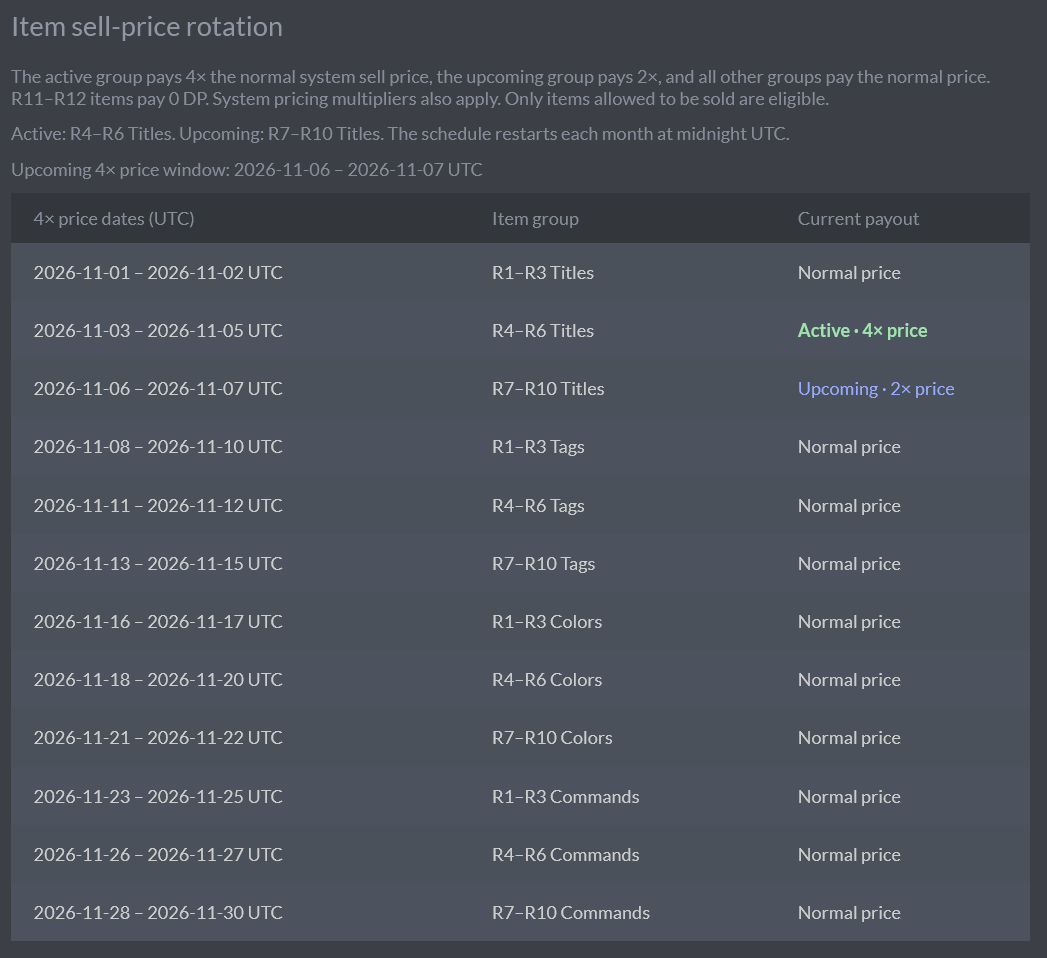
Metals are a liquid asset of DTP; they can be quickly and easily converted into large amounts of DP. They are similar to regular items, which can also be sold for some DP. The DP amount of metals fluctuate. As of this update, high tier tags, titles, and colors are also a good way to obtain DP when sold at the correct time.
 Metals
 are obtained through loot boxes and remain in your inventory as “physical” items until you manually right-click or hold on the Metal and select Sell. Metals have fluctuating prices, so aim for a good time to sell.
________________________________________________________________
XP

XP is short for Experience Points. Increasing your XP makes you rank up and gifts you with random loot boxes. Your XP requirement to level up will be displayed on the top right of your screen. XP is only gained by killing players in PvP, killing bosses in PvE, completing rounds in Gamemodes (Zombies), and by voting at https://terraria-servers.com/server/90/vote/. Once you reach the XP threshold, you will rank up, and your XP requirement to level up will increase. The most efficient way to gain levels is by voting, followed by PvE.
________________________________________________________________
Credits
The only use for Credits is creating custom items, obtaining Crew, and gambling. Voting with your DTP / in-game username at https://terraria-servers.com/server/90/vote/ will grant you 0.05 credits. 1 full credit (20 days of voting) allows you to create a custom title or tag.
________________________________________________________________
Levels

Levels are what grant you loot boxes; This is separate from the loot boxes obtained by voting.
- Tier 1 boxes grant you 1 item.

- Tier 2 grants you 2 items. It is a honey chest.

- Tier 3 also grants you 2 items of higher tier. It is a obsidian chest.

- Tier 4 is a granite chest. It grants 2 items of even higher tier.

- Vote loot boxes grant you 3 items of low tier.

Tip: You should avoid upgrading the chests any higher than T2, as you get scammed of a ton of money and the items it gives you are only slightly better. You should only upgrade T1 chests to T2 as it doubles your items.
Note that you will not receive a ranking-earned loot box until around level 20. It’s weird, but luckily it’s an easy milestone to reach.
________________________________________________________________
The following sections are NOT fully updated
Due to the DTP not being fully updated yet(The shop is currently under some development)
________________________________________________________________
Levels History
Big Russ, an inactive moderator, had the highest possible level; However, you won’t see his name on the leaderboards. That’s because he reached the 32-bit integer limit (2,147,483,647) for XP, causing all of his stats to wrap back around to -1.
He asked Rofle (The server owner) to reset his level to 0, and Rofle did so accordingly.
Big Russ continued to grind levels at an alarming rate (iirc he got to around lvl 350 after his level reset), causing Rofle himself to heavily nerf XP Efficiency (an xp multiplier) to the point of obsolescence.
________________________________________________________________
TABS
Inventory
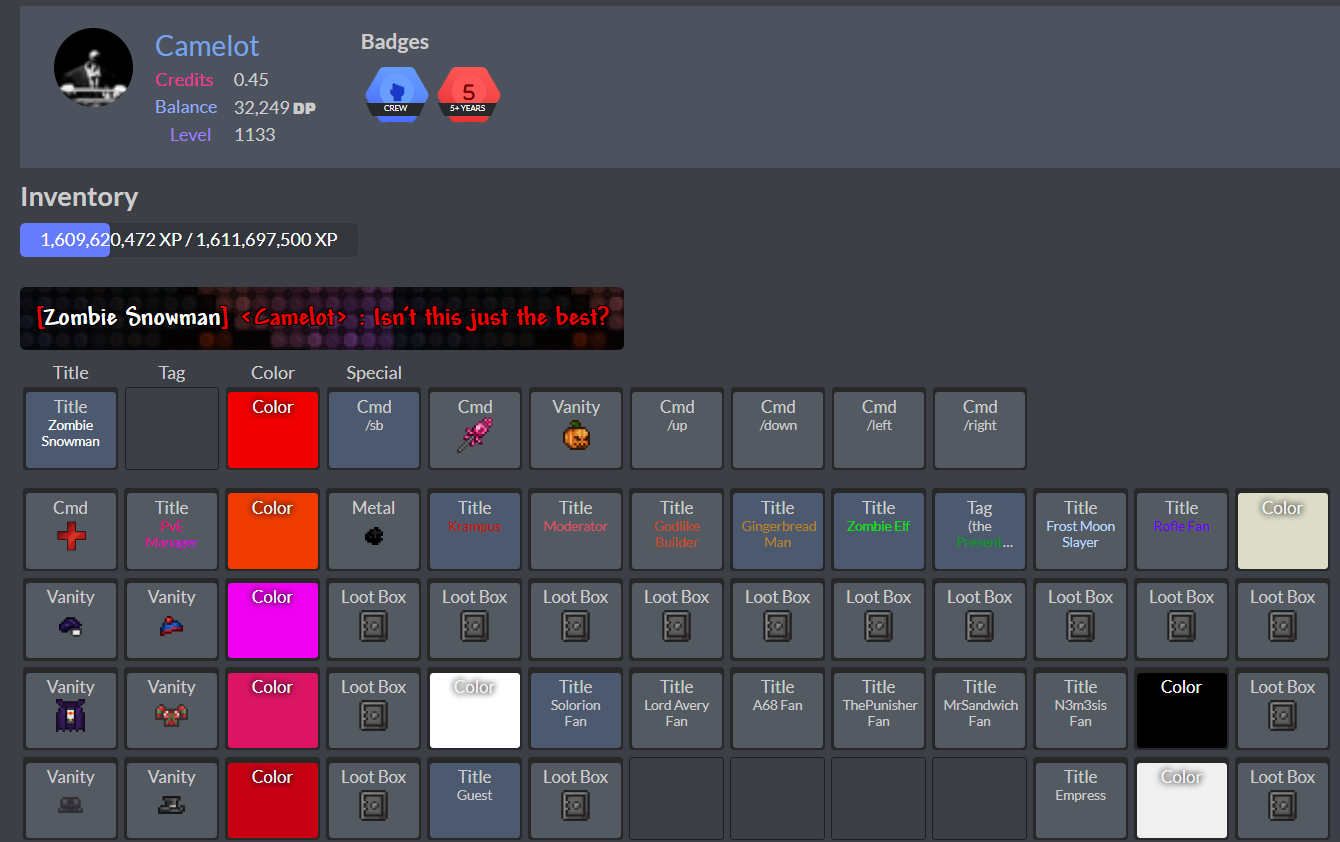
This tabs brings you to your inventory.
Normal link: https://dtp.dark-gaming.com/#inventory
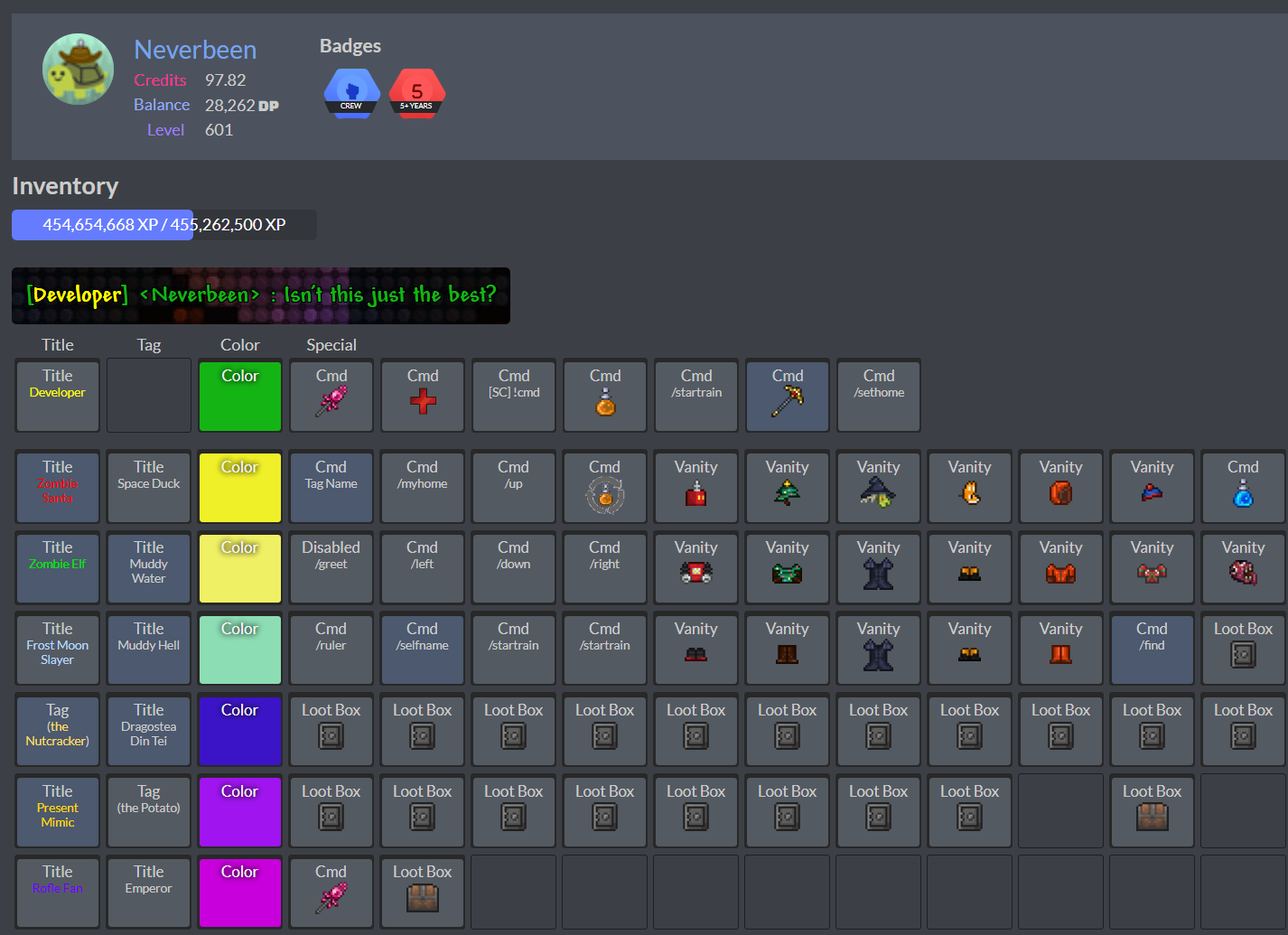
Edited link:
https://dtp.dark-gaming.com/inventory/Neverbeen
@Legolas’s DTP link is unique because of the hashtag in their username, preventing you from viewing their DTP inventory by editing the URL. The only way to view their inventory is by clicking a link.
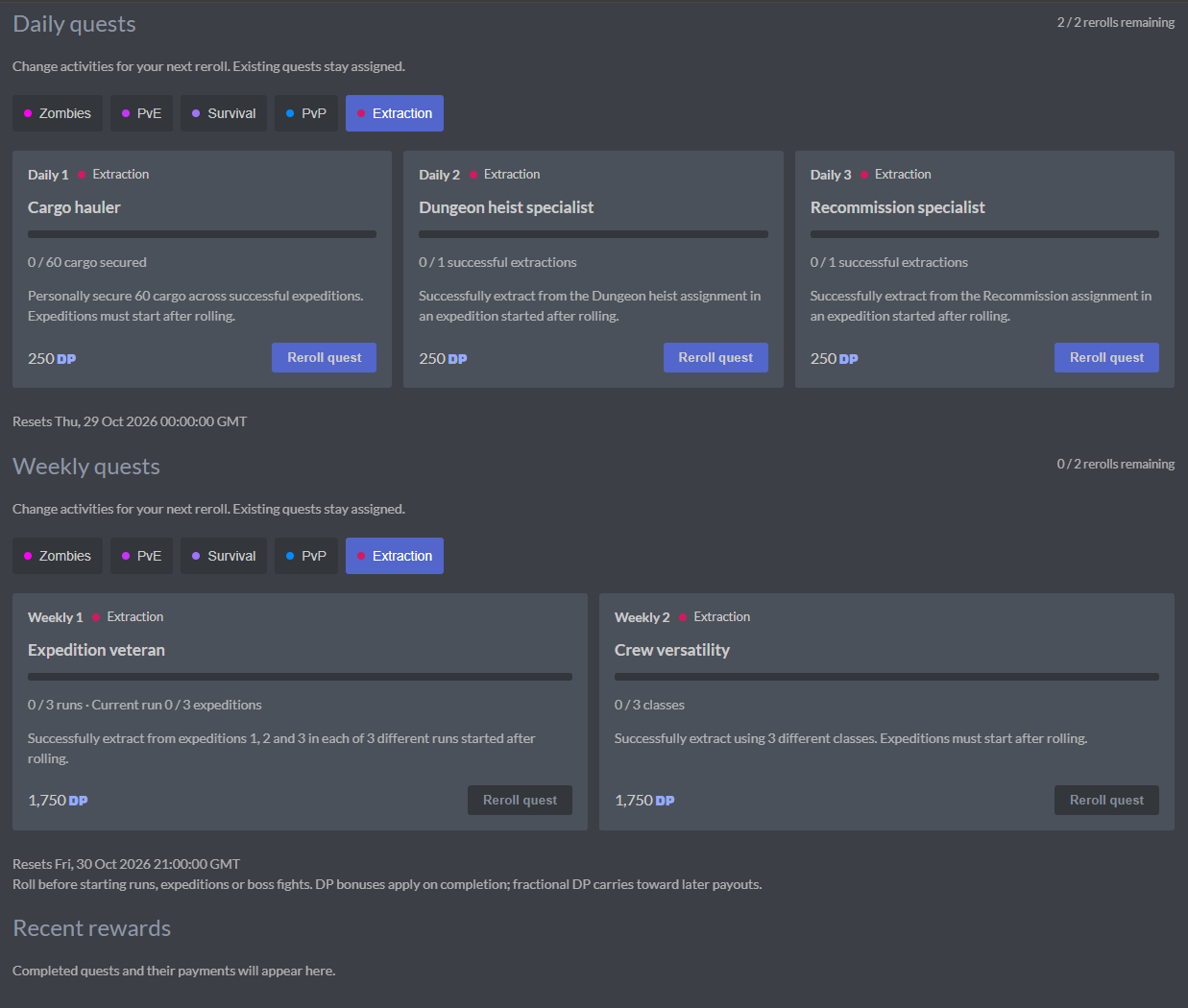
Quests
Where your quests are located. This is now the only way to earn DP besides selling things and trading.
Clicking on the tabs allow you to choose what type of quests you want, including mixing types. Rerolling quests are available twice daily for daily quests and twice weekly for weekly quests.
Explore
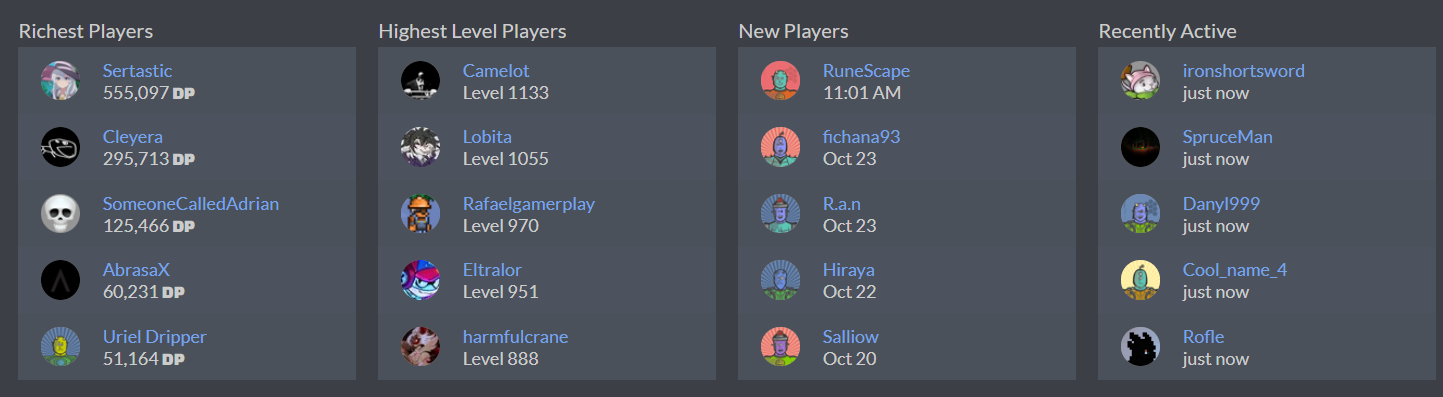
The Explore page displays unique player and server stats. It shows the top 5 richest and highest level players. It also shows newly registered players and players who were seen online in DTP.
It also has a graph for metal prices, and gives information on the best times to sell stuff, allowing you to gain thousands of DP when used correctly.
Upgrades
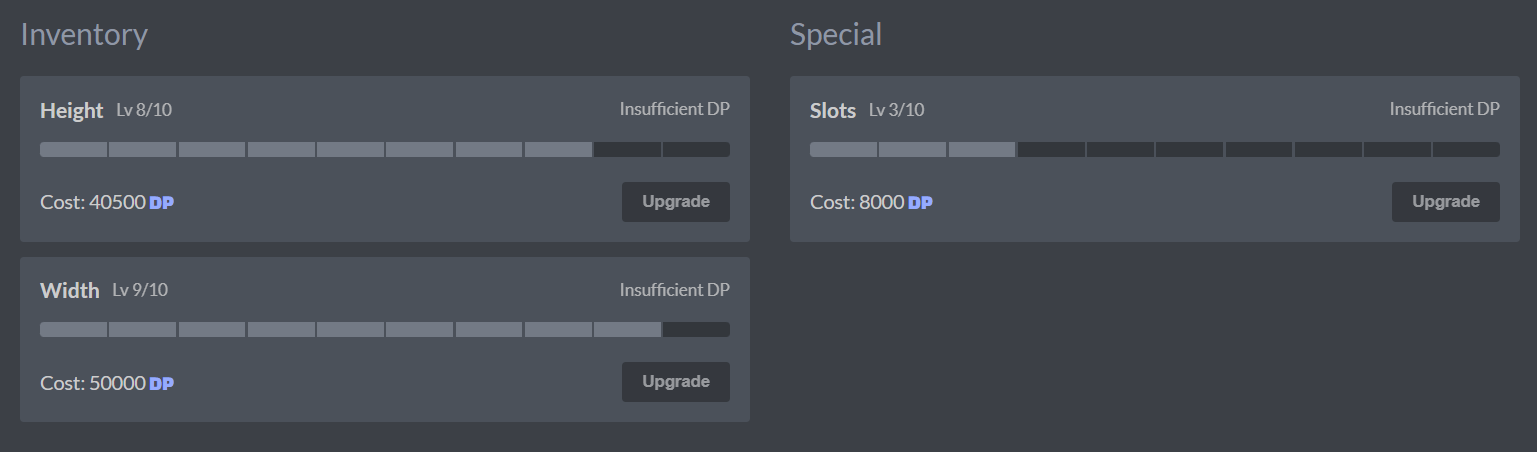
The Upgrades page is where you go to spend DP to increase your inventory space.
By default, you start with a 3x5 space, which equates to 15 spaces.
Each upgrade you make extends your inventory vertically or horizontally by 1, granting you much more space.
I have personally purchased many upgrades, and my inventory is currently a 9x12 rectangle, allowing me to store a total of 108 items.
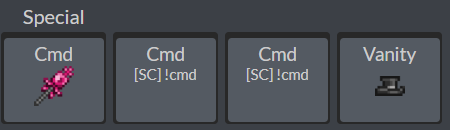
Special Slots increase the section on your “hotbar” where your CMDs & vanity go. Each upgrade allows you to fit one more CMD permission for your use.
The special slots are for commands, various permissions, and vanity items.
Shop
The shop sells special items unobtainable from other places. This includes Frames for your DTP avatar, dyes for zombies/extraction vanities, and XP boosts.
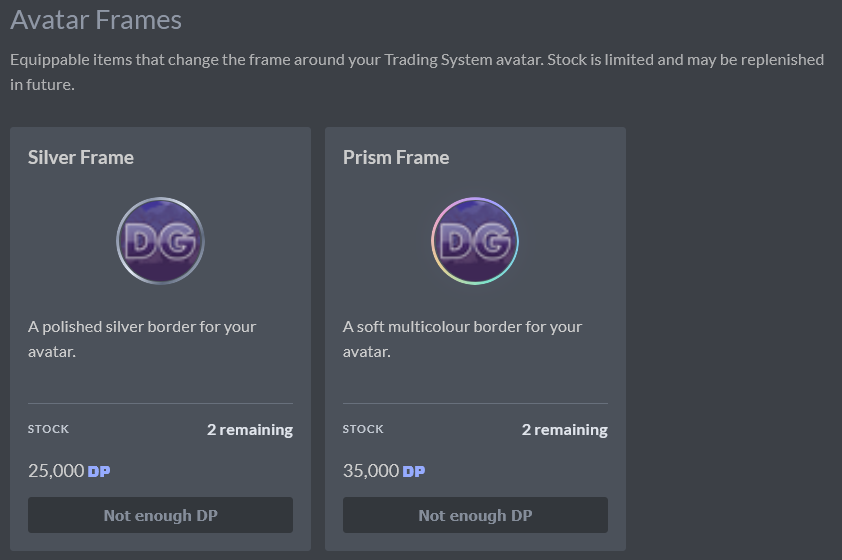
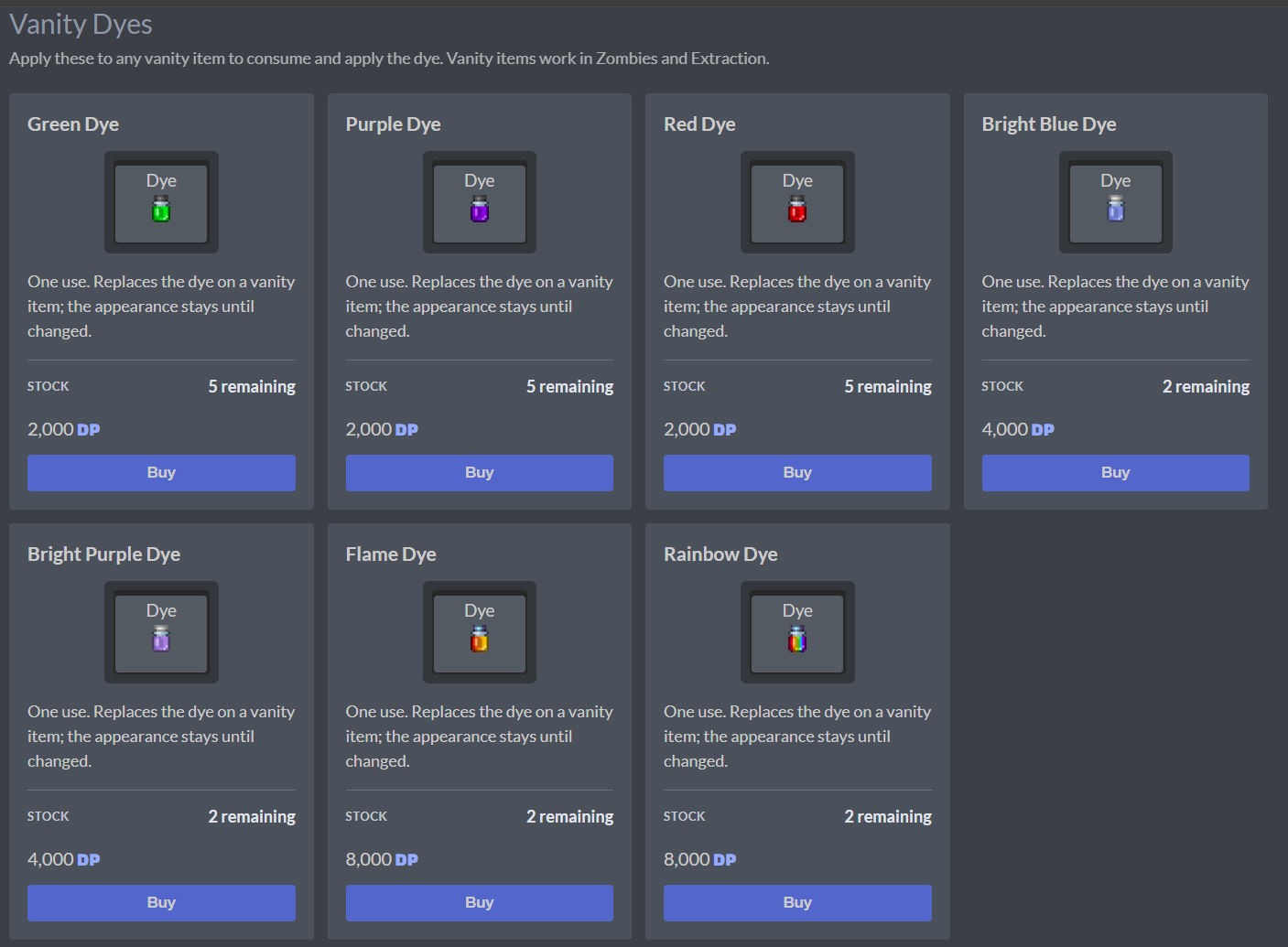
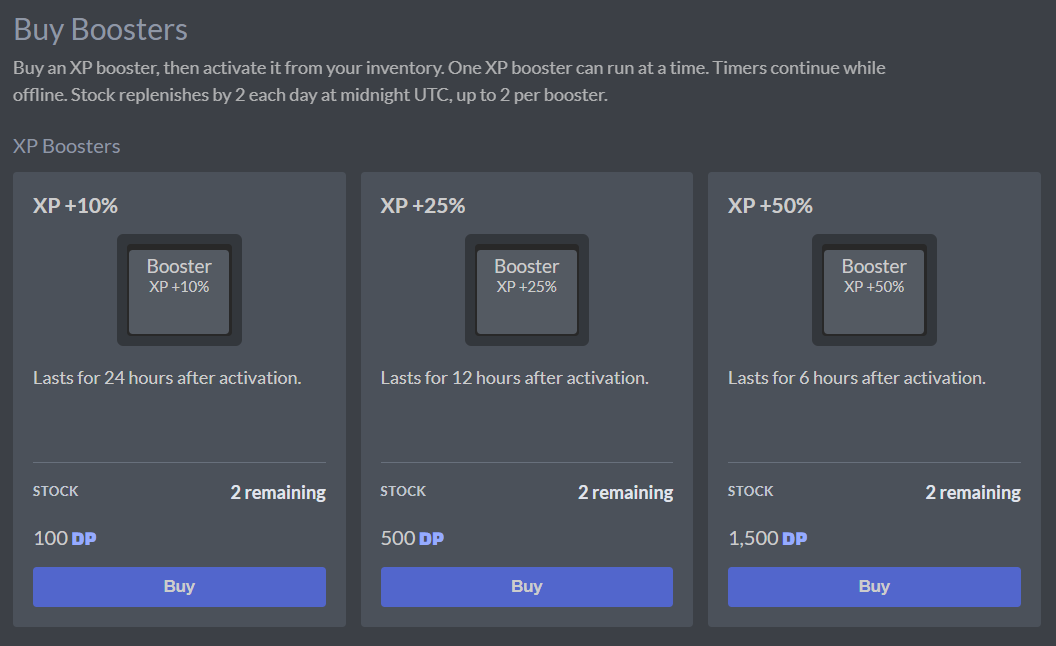
Archive of the old shop
The shop is unique because there isn’t just one shop; There are many, and which one you have access to depends on your level. They are listed as different fictional cities.
| Level Requirement | Shop Access |
|---|---|
| lvl 0 - lvl 49 | Village of Dakota |
| lvl 50 - lvl 149 | Town of Velucia |
| lvl 150 - 199 | City of Jaeori |
| lvl 200 - ??? | Metropolis of Vahal |
The shop sells a variety of titles, tags, and colors, each ranging from Rarity 1 to Rarity 10
Prices
Titles & tags:
R1  - 10 DP
R2  - 50 DP
R3  - 100 DP
R4  - 500 DP
R5  - 1000 DP
R6  - 2000 DP
R7  - 4000 DP
R8  - 8000 DP
R9  - 9000 DP
R10 - 10000 DP
For CMDs (commands):
R1  - 10 DP
R2  - 50 DP
R3  - 100 DP
R4  - 500 DP
R5  - 1000 DP
R6  - 2000 DP
R7  - 4000 DP
R8  - 8000 DP
R9  - 9000 DP
R10 - 10000 DP
Colors:
R1  - 750 DP
R2  - 1500 DP
R3  - 4500 DP
R4  - 9000 DP
R5  - 12000 DP
R6  - 15000 DP
R7  - 22500 DP
R8  - 30000 DP
R9  - 45000 DP
R10 - 60000 DP
R11 - 15  DP
R11 colors don’t exist, but according to the code, if they did, they would technically cost 15 DP.
You can check an item’s rarity and price by hovering your cursor over it*
Be careful if you are on mobile because one simple press will register that as a purchase.
You will NOT purchase an item if you do not have sufficient funds. You cannot go into debt.

*Sometimes hovering your cursor won’t reveal an item’s price & information. Keep refreshing the page until it fixes itself.
Market
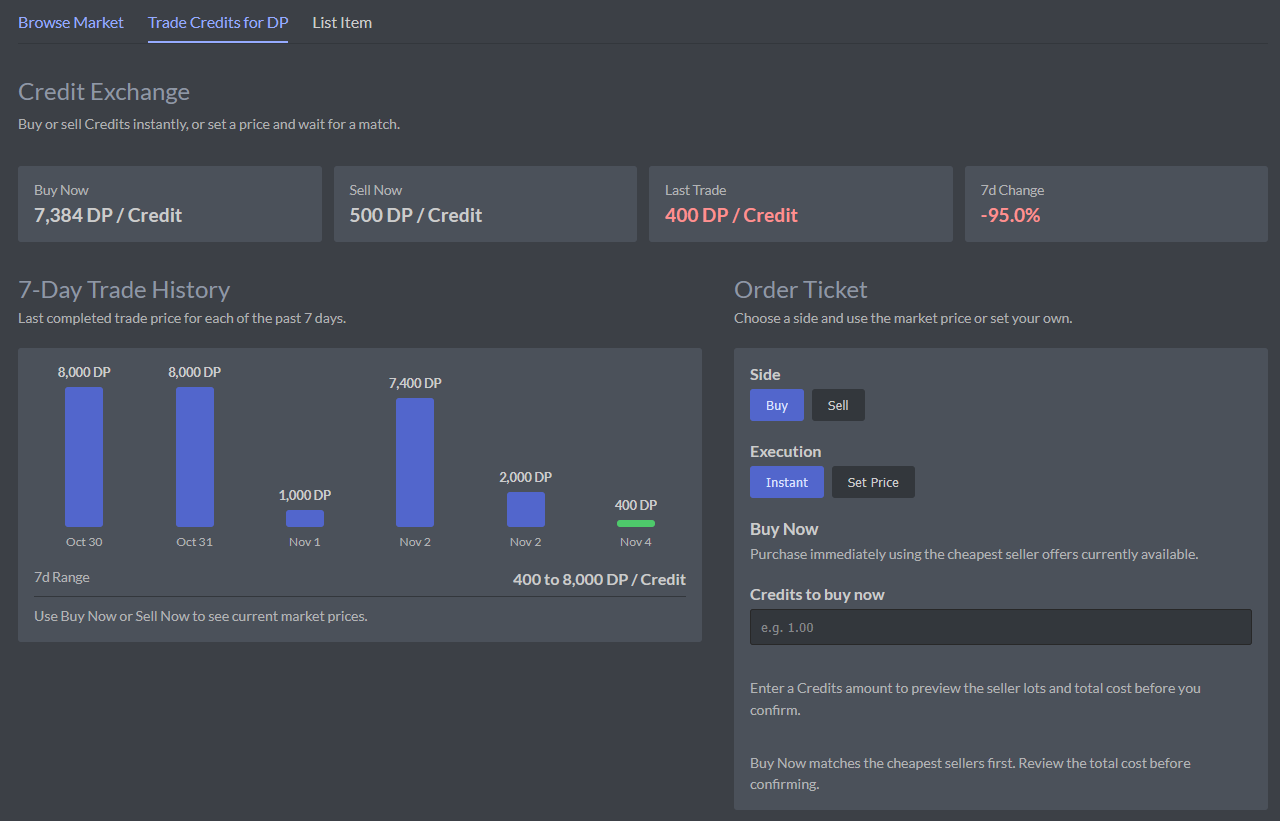
The market is a new feature introduced in the DTP update
Here, you can buy items from other players via a set price, or by bidding. You can also list your own items. It costs 100 DP minimum to make a market listing.
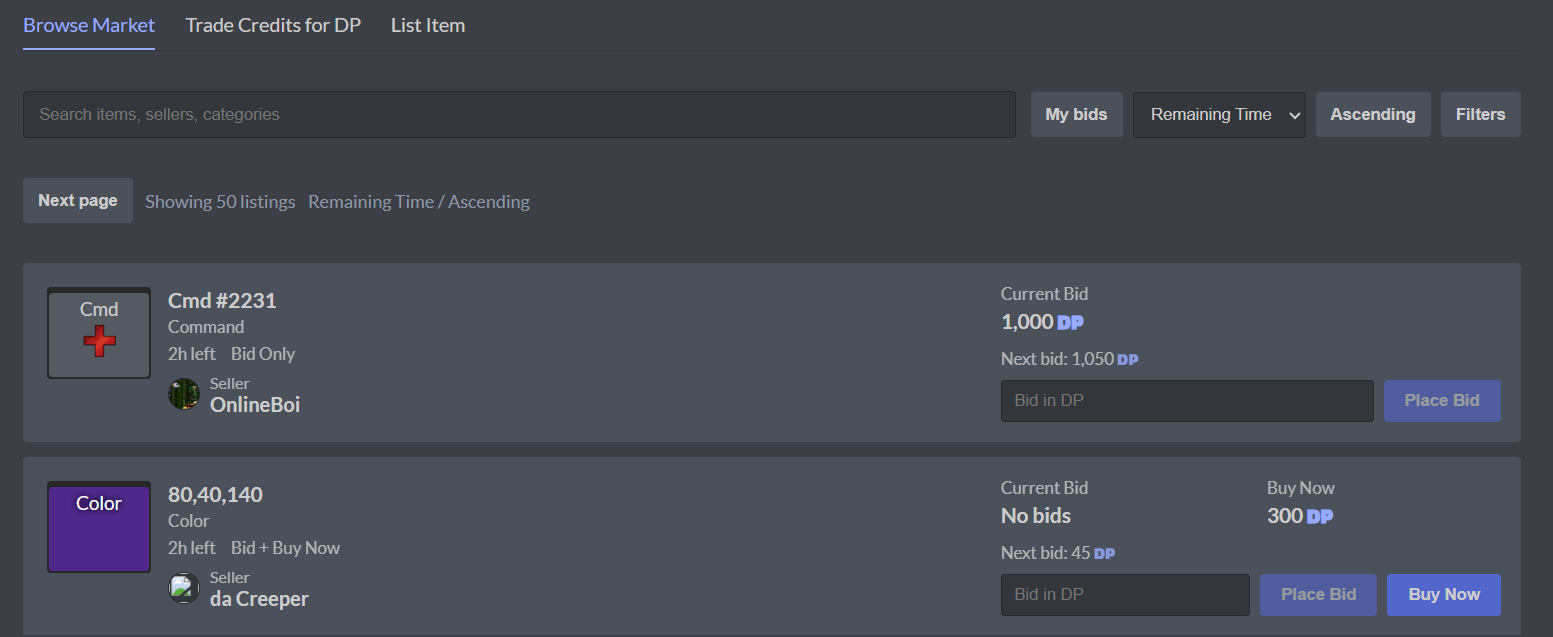
You can also exchange credits and DP between players or the system. Price of credits fluctuate.
Trading
Trading is the most social feature in DTP. It allows you to trade items, credits, or DP with another player.
When initiating a trade, remember that CAPITAL LETTERS MATTER and it will cost you 50 DP after finalizing.

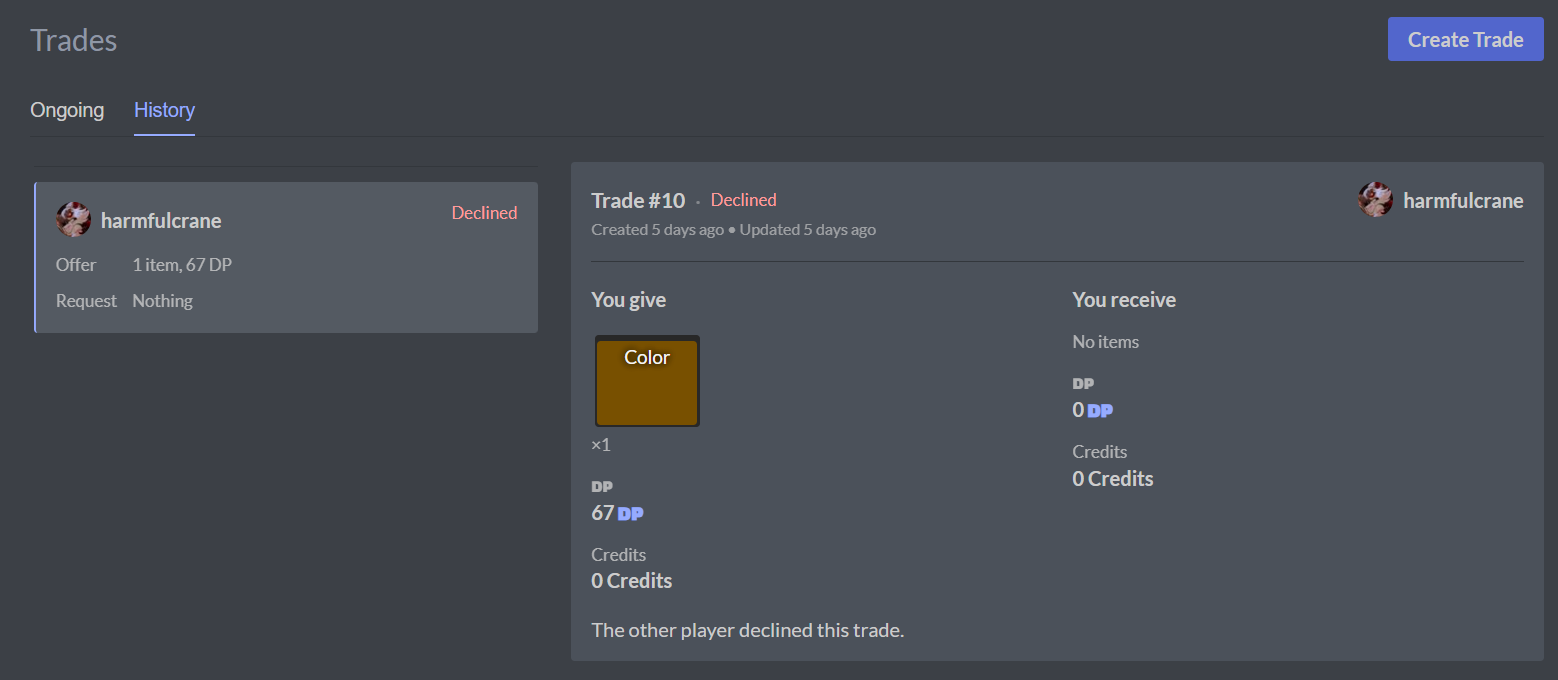
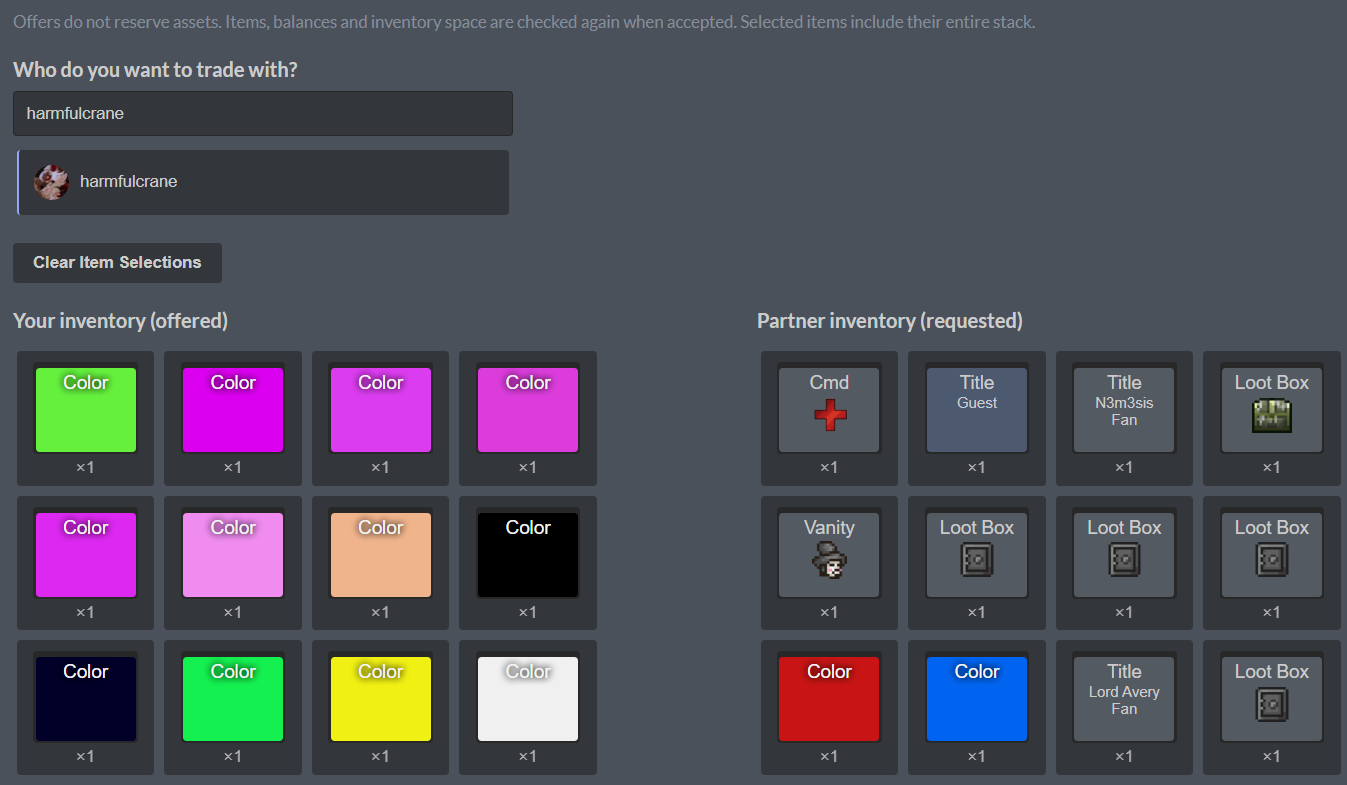
Upon starting a trade, you are brought here, where you select a person to trade with:
At the bottom, you can trade DP or credits. There is a 100dp trade activation fee.
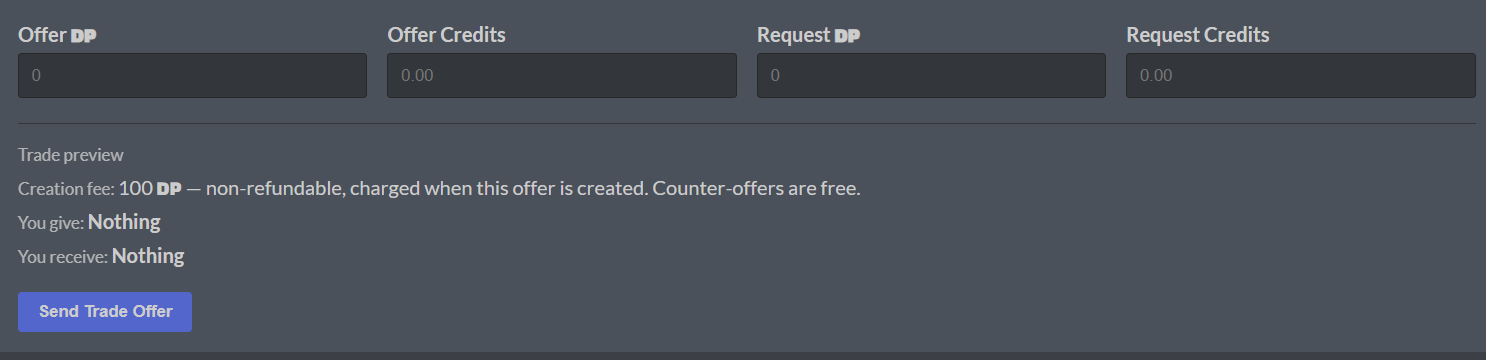
After selecting what to trade, you are ready to hit Request Trade. It will be up to the recipient to decide whether to accept your trade request. They may also counter offer the trade. Don’t forget about that 100 DP initiation fee.
Craft
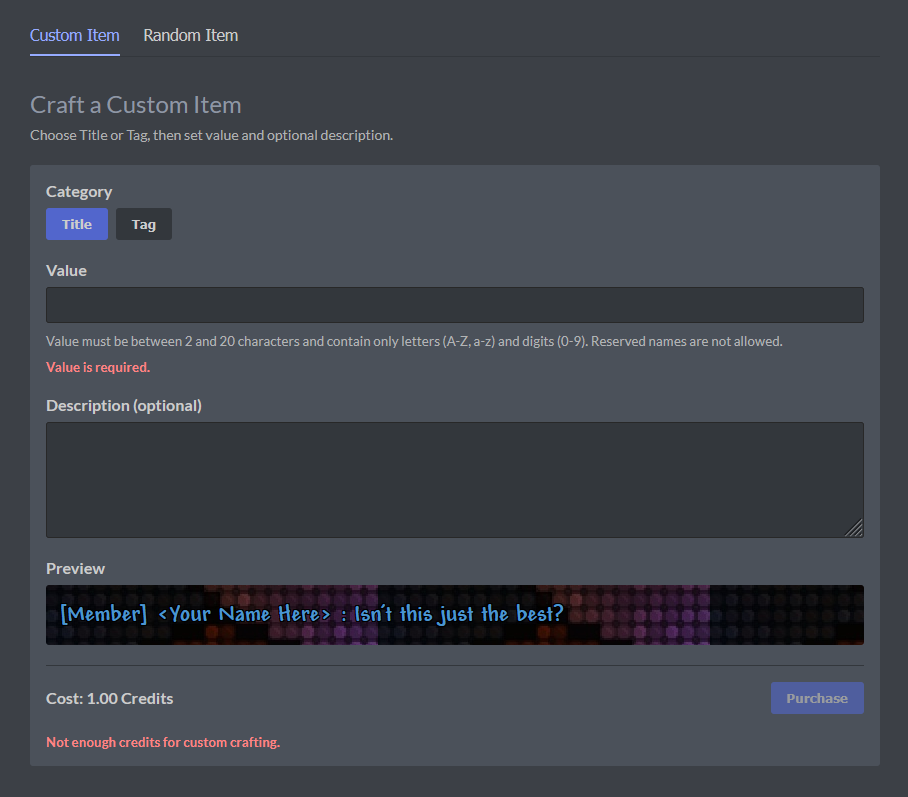
The Craft tab is unlocked when you reach 1.00 Credits. (20 days of voting)
Custom Items*
- Free rein in your item description and name, don’t be offensive!
- You cannot create custom colors.
- Each tag or title made using this method will be given a rarity of 11. However, this does not make custom titles/tags more valuable than an R10 as they do not sell for much.
Gambling
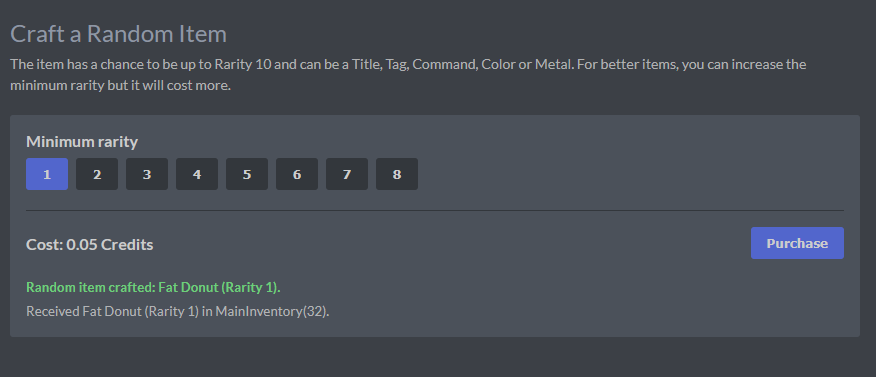
- A minimum of 0.05 credits grants you a low-rarity item.
- A maximum of 0.75 credits grants you a guaranteed R9 item. On rare occasions, you’ll get an R10. These are extremely valuable.
- You can obtain titles, tags, colors, cmds, and even metals. These can be sold for a decent amount of DP when sold at correct times.
Unlocks
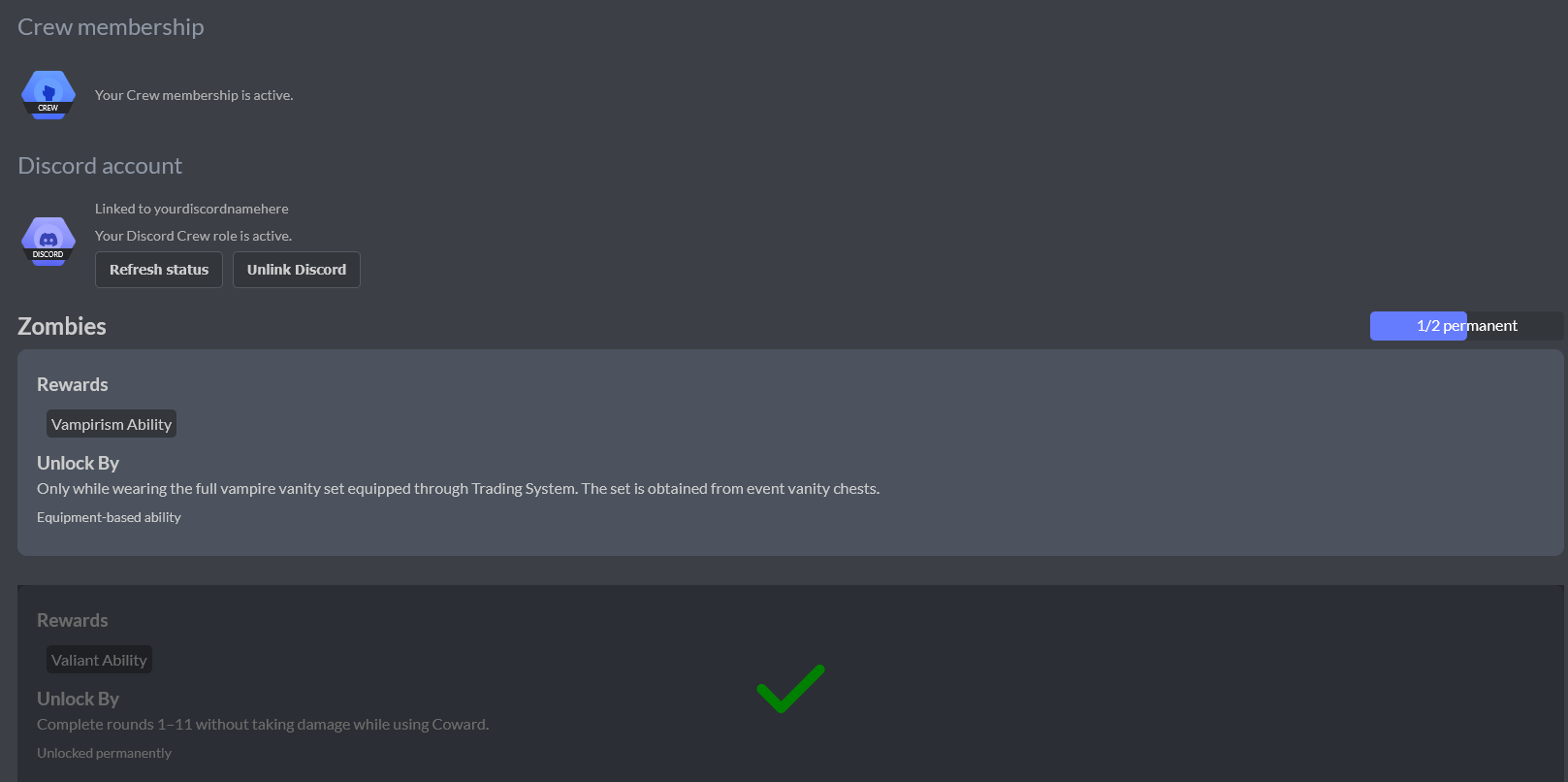
This menu allows you to unlock Crew or link your Discord account to earn Crew on the Discord server. It also displayed unlockable abilities for the Zombies gamemode. Scroll up for more details on how to get Crew.